Wednesday, September 10, 2014

Class Review with Google Sites

This summer I took a read for credit class called "Teaching on the Education Forefront".  In this class I learned a lot about blended and online classes.  One of the activities described in the textbook was to have students create a website together.  I decided to have my Geometry students create a Google
Site to review all of the important concepts that we have learned about in our first unit on Basic Geometric terms.
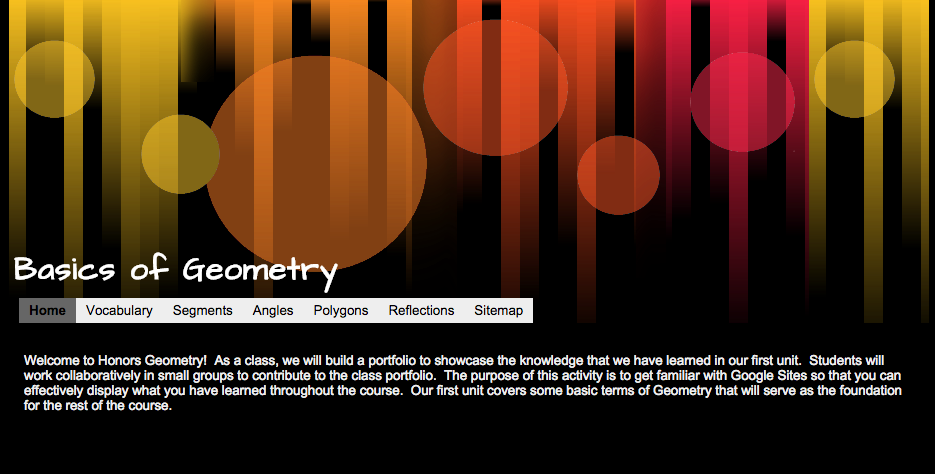
I set up a website template through Google Sites earlier this summer and shared it with my students this week.  I split my class into seven groups and assigned a few concepts to each group.  As the different groups were working on the shared site, students found that they were overwriting each other's work.  As far as we could tell, it was only safe for one student to add to a page at a time.  Otherwise, not all content was added to the site.  I had to go back to the drawing board.  Instead of having students add their content directly to the website I instead created a series of Google Documents filled with tables that I embedded into the site.  Multiple users are able to type into the document at once, creating a truly collaborative experience.

The groups were responsible for reviewing different vocabulary terms.  Each vocabulary term needed to include a technical definition, the definition in student friendly terms, and a picture.  Additionally, students were asked to write sample problems and work them out through a video created through the Explain Everything app.  This was our first time using Google Sites in class as well as the first time many of my students have used the Explain Everything app.  Overall, students seemed to enjoy this activity.  It is my hope that students will use this site as a reference as they prepare for our upcoming summative assessment.


Geometric Vocabulary with TPR

In August I attended Waukesha's Personalized Summer Institute.  While at the summer institute I attended a class in Metalinguistics.  In this class I learned about TPR activities: Total Physical Response.  In these activities, students physically act out new vocabulary in order to improve recall and comprehension.  As I started to think about how I could use this type of activity in my math classroom I immediately thought of the basic vocabulary that I need to teach my Geometry students at the beginning of the year.  I came up with a series of movements that would help my students better understand basic Geometric terms and labeling conventions.  I created actions to go along with terms such as Point, Line, Plane, Collinear Points, Ray, different ways to classify angles, as well as a few others.  You can check out some of the symbols in my TPR presentation that I have posted online:


I wasn't sure how my students would respond to this activity, but they seem to enjoy it.  I have lead my classes through the TPR activity several times and have even had a few students volunteer to lead to the group.  It is my hope that this activity will increase student understanding of our basic Geometric concepts when we take our first summative assessment.


Thursday, February 13, 2014

Programming with MIT App Inventor

This semester I'm taking a new approach to my Fundamentals of Programming class.  After talking with a colleague from another school, we decided that we needed to revamp our Computer Science program.  We needed to find a "hook" to get students interested in the possibilities of programming without getting overwhelmed by the code.  Over the summer I heard about a program called "MIT App Inventor" that offered a highly visual and block-based code.  Students are able to create a basic app for an Android device within one class period....plus the program is FREE!  We're almost three weeks into the semester and things are going pretty well.

The first app we tackled was the "Hello Purr" app.  It's pretty basic, as far as apps go, but the students are pretty excited to be creating their own functional apps.  (Not many of my students own Android devices, so they're not overly excited.  But their excited nonetheless.)  Students create a button that looks like the picture of a cat.  When the button is tapped, a "meow" sound plays and the phone vibrates to simulate purring.  When the phone shakes the same "meow" sound plays.  Students can test of their app on their own Android device or use the emulator.  This app, while very basic, has opened the door to important discussions about properties, variables, events, and event handlers.  When I taught this class in the past as a strictly code-based class in Java, it took us weeks before we could talk about variables and much longer before we were able to create and define our own event handlers.  Now, we're broaching the subject within the first week of class.

To go along with the class, students are creating a Google Site portfolio to house all of their apps.  They include screen shots of the visual design of the app, a peek at the blocks of code, a brief description of their app, and a QR code so that people that visit their site can download the app to their Android device.  The site also contains information about some of the terms and concepts we've learned about while creating the app.  Students will create and maintain this site throughout the semester.

While making the transition to this new program we've run into some glitches.  Only a few students are able to get their "emulator" to work.  We're still working on these issues and we hope to have them resolved shortly.


Tuesday, January 21, 2014

Students Lead the Class

In preparation for our Honors Geometry semester exam I had students break up into small groups
to become the "class experts" for one of the topics we learned about during first semester.  The groups chose their topic and then were responsible for creating a quick reference guide for the content, a practice summative assessment with answer key, and a twenty minute review activity for the class.

The students were given four class periods to put together their projects.  Things moved along very well and students definitely took ownership in their learning.  Students learned to anticipate the types of questions that they may find on the exam and then designed an activity to review the concepts.

I must admit that I was a little nervous when it was time for the students to start their activity presentations.  I would be turning over the classroom to my students for three entire class periods.  I knew that my students had put a lot of work into their activity and I had a pretty good idea of what each group would be presenting, but the groups were entirely in control of the classroom.  The students made the decisions about what should be emphasized in preparation for our semester exam.  I was nervous, but I was also very curious as to how they would take charge.

Overall, things went GREAT!  My students came up with some really great activities to keep their classmates engaged!  We played Jeopardy, BINGO, a math variation of "spoons", played various board games, and created many other activities.  The leading group took charge of the classroom and the rest of the students busily got to work on the activities.

The vast majority of the questions posed were great.  Students made sure to cover the basics of the material and also posed great challenge questions.  Students also created summative assessments for their classmates so that the review could continue outside of the classroom.  Again, I saw lots of great questions that I think will get my students ready for their upcoming exam.  While not all of the projects and questions were "perfect", I think even the mistakes helped to teach.  If the class tried to solve a problem that didn't have a solution, they had to look at it a second time and determine why the problem couldn't be solved.  If there was a problem with an answer key, students talked about it and challenged it rather than accepting the solution as fact.

I would definitely do this project again in the future.  I think it taught my students to think critically and it helped them prepare for our upcoming exam.


Tuesday, January 7, 2014

Group Project: Review for our Semester Exam

This year I'm trying something a little different with my Honors Geometry students to help them prepare for our semester exam.  We'll be turning the tables and the students will become the teachers.  In order to prepare for our exam students will break up into small groups of four or five students to become the "experts" on one of the topics that we covered throughout the semester.  The group will then will be responsible for preparing the material to help us review.

Each group will be responsible for putting together three items for their assigned topic:

  1. Summary of the content for the topic
  2. A review activity that will be presented to the class
  3. A practice summative assessment, with answer key
The idea is that once the students have compiled all of their content, they will all be housed on a class Google Site so that students can access the material as they prepare for the exam.

Summary of the Content
It is up to the group to decide what is important about their topic.  They will also decide the best method to present their information.  Students can create a quick reference guide using a Google Document, a series of videos using the app "Explain Everything", a Google Presentation, or another method of their choosing.  This content will be housed on the class Google Site.

Review Activity
The group will be in charge of leading a group activity for the class during a 20 minute time slot.  The intent is not to have the students lecture, but instead guide the students through an exercise.  I gave the suggestions of creating a game, setting up stations, leading a "think-pair-share" activity, or another activity of their choice.

Practice Summative Assessment
Students will also need to create a practice summative assessment, with answer key, for their content.  This practice assessment will be assigned to the class as their homework for the evening.  It will give students another opportunity to practice the material.  

It is my hope that this activity will help my students prepare for a major test.  Since the majority of my students are freshmen this will be their first experience with taking a major math exam.  I wanted to lead my students through good study habits.  We are starting this activity well before our actual exam---we are not cramming it all in with only a day or two before the exam.  I also want to teach my students to anticipate the types of questions that might be on the exam.  By creating their own test, hopefully students won't find any surprises.


Friday, December 20, 2013

Vocabulary Review "Cootie Catcher"

In my Honors Geometry class we are currently studying polygons and quadrilaterals.  One of the things that my students have trouble with is remembering the properties of special quadrilaterals.  In order to solve a higher-level problem, students need to remember such facts as:

  • The diagonals of a parallelogram bisect each other
  • The diagonals of a rhombus are perpendicular
  • The non-vertex angles of a kite are congruent
They have trouble keeping these properties straight.  I've tried using "cute" little ways to get my students to remember things, such as "if a rhombus and a rectangle got together and had a baby, they would call it a square", but I haven't notice a significant increase in recall.

This year I created some "cootie catchers" or "fortune tellers" to help my student review the different shape properties.  I put the different shape characteristics on the flaps and had the different quadrilaterals that shared the characteristics on the inside.

I copied the cootie catcher template and cut it out for my students.  I then instructed the students for the proper folding techniques.

Students used their "cootie catchers" together as a different way to review vocabulary.  They quizzed each other on the different shape properties and tried to see if they could name all of the quadrilaterals that fit the category.

Overall, students seemed to enjoy this new way of reviewing vocabulary.  Time will tell if this vocabulary review activity will help on the summative assessment.

Wednesday, December 18, 2013

SLATE Conference 2013

Last week I had the amazing opportunity to attend the SLATE (School Leaders Advancing Technology in Education) conference in the Wisconsin Dells.  I was able to attend many sessions and learned a bunch of new things.  Here are some of the highlights from my notes at the conference:

The Power of Video Enhancement
In a session presented by Michael Krill and Emily Goranson from Nature Hill, I learned that there are three types of videos:


  1. Videos that show, teach and tell new material
  2. Videos that enhance or review previously taught material
  3. Videos that establish a routine or ritual (a call to order video)
Teachers can incorporate videos into their classrooms, but we need to teach students how to actively watch them. People usually watch video (such as TV, movies, etc) passively. In order to learn new concepts, students need to learn to watch video actively.

In order to encourage students to watch video actively, teachers need to create videos that encourage interaction. When a teacher creates a video they can use instructions such as "pause the video", "stop and jot", etc. to encourage students to actively participate in the video. Teachers also need to create videos that are an appropriate length. As you create a video, keep in mind the attention span of your students. Make sure that you tailor the content and length to your target audience.

Incorporating video in the classroom is a relatively new concept. We assume that because students have watched entertainment video that they can translate those skills to watching an educational video. This is not the case. Students need to be explicitly taught how to watch actively.


Bring in the Games: Gaming in the K-12 Classroom
This was a session that I was really excited about attending. As it turns out, the presenter did not show up for the presentation. However, two people volunteered to share their experiences with gaming in the classroom. They shared a ton of knowledge!

Ken Schroeder shared with us the difference between gaming and gamification. Gaming brings games into the classroom in order to supplement the curriculum. With gamification of the classroom, the students learn the curriculum through the game. The game becomes the center of the class and "tricks" students into learning.

Ken shared the "World Peace Game" with us. In this political-science study, students broke up into groups, were assigned to a country, and together had to achieve world peace. Here's a link to the activity: https://www.worldpeacegame.org/.

Ken also talked about different sites where students can earn "badges".  Students earn the different badges for achieving different skills.  He said that sometimes earning a badge can provide enough external motivation to encourage kids to participate and engage in the curriculum.In the session, they also talked about how earning badges could work for teachers, too.  Rather than sitting through a specified number of hours for professional development, teachers could have the task of earning a badge.  This way the focus is on the teacher learning a new skill rather than achieving a required "seat time".
In a session I attended the next day, a teacher talked about how she designed her entire curriculum through a site called KP compass.  Students could view videos and earn badges.  Students competed with each other to learn new material and earn more badges.  It looks like an interesting way to set up a classroom and I am excited to learn more about it.